Digital Strategy
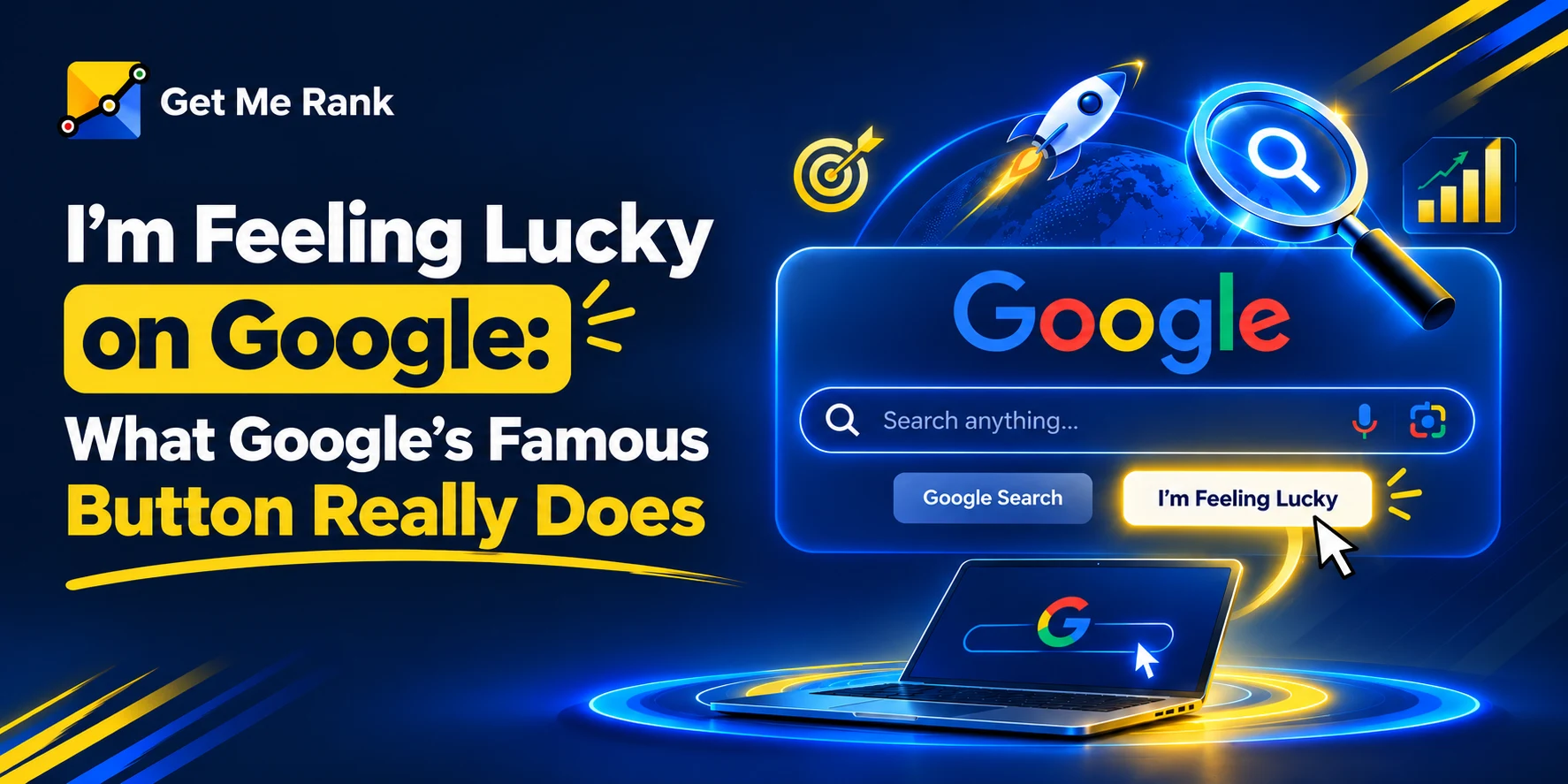
| KEY TAKEAWAYS ✓ I’m Feeling Lucky is a one-click Google Search button that skips the results page and sends you straight to the single page Google’s algorithm trusts most for your query. ✓ Google I’m Feeling Lucky bypasses paid ads entirely — reportedly costing Google over $110 million a year in lost ad revenue, yet it was never removed. ✓ Hovering (empty search box) triggers hidden moods like “I’m feeling doodly,” “I’m feeling hungry,” and “I’m feeling trendy” — each a different Easter egg. ✓ Usage has always been tiny (~1% of all searches), but the button survives because it humanizes Google feeling lucky search and signals ranking confidence. I’m Feeling Lucky on Google: What Google’s Famous Button Really Does✓ In 2025–2026, Google has tested AI Mode as a replacement for the classic button — a shift from “best webpage” to “AI-generated answer.” ✓ In short: if you’re asking what does I’m feeling lucky do — it removes your choice and bets everything on Google’s #1 ranked result. |
Introduction
Open Google.com right now and look just below the search bar. There’s a good chance you’ll spot a small, slightly old-fashioned button that most people have seen a thousand times and clicked maybe never: I’m Feeling Lucky.
It doesn’t sell anything. It doesn’t show ads. It doesn’t even show you a list of results. You type a query, click the button, and Google makes a single bet — sending you straight to the one page it believes is the right answer, no browsing required.
That’s a strange thing for a company built on advertising to keep around for over 25 years. So in this guide, we’re breaking down exactly what does I’m feeling lucky do, how the I’m Feeling Lucky Google button actually decides where to send you, the surprisingly emotional Easter eggs hiding inside it (yes, including I’m feeling doodly), and why Google feeling lucky might finally be on its way out in the age of AI Mode.
Quick Workflow: How I’m Feeling Lucky Works
In one line: normal Google search gives you options; I’m Feeling Lucky gives you one destination.
What Is Google’s “I’m Feeling Lucky” Button?
I’m Feeling Lucky is a search shortcut built into Google.com. Instead of showing the familiar page of ten-plus results, clicking it takes you directly to the single web page Google’s algorithm has determined is the best possible match for what you typed.
Think of a normal Google search as a menu, and I’m Feeling Lucky as telling the waiter: “just bring me your best dish — no menu needed.”
WHERE TO FIND IT
🖥️ Desktop: directly beneath the main search bar on the Google.com homepage, next to “Google Search.”
📱 Mobile: rarely shown by default — enable “Desktop site” in your browser or use a workaround extension.
🌍 Some regions/test groups: may see it replaced entirely by newer buttons like AI Mode.
What Does I’m Feeling Lucky Do When You Click It?
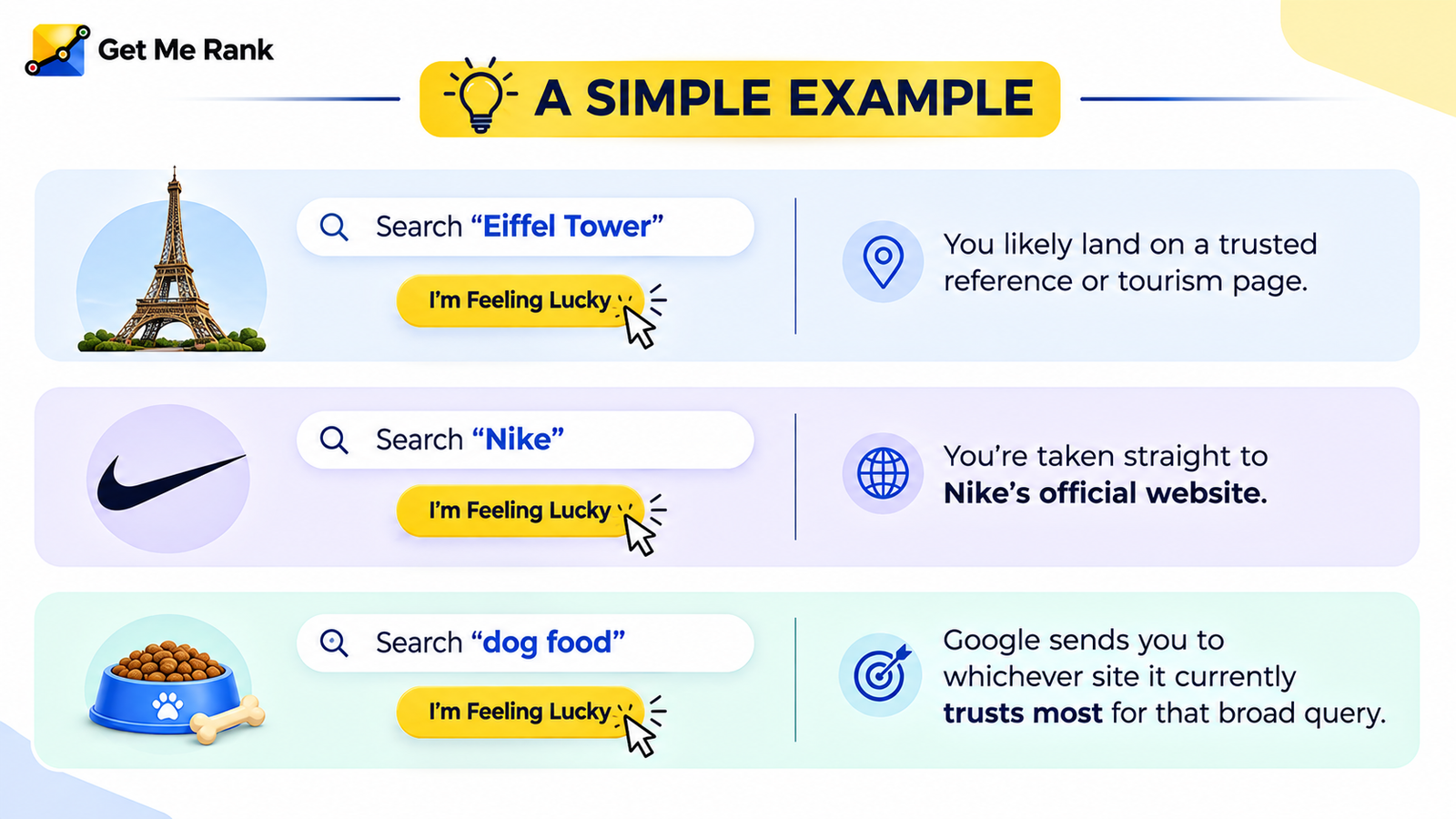
This is the exact question most people search for, so let’s answer it plainly. When you search a term and click I’m Feeling Lucky, Google:
- Runs your query through its normal ranking systems (relevance, authority, page quality, intent-matching).
- Identifies the single page it’s most confident matches your search.
- Redirects your browser straight to that page’s URL — skipping the results page, snippets, ads, and everything else.
It’s not a random page and it’s not always “literally position #1” in a static sense — it’s Google’s real-time best guess, generated the moment you click.
The Story Behind Google I’m Feeling Lucky
The Google I’m Feeling Lucky button dates back to the late 1990s, when the web was cluttered, slow (hello, dial-up), and full of ad-stuffed search results. Google’s founders wanted to make a statement: we trust our search results so much, we’ll skip the list entirely and send you straight to the answer.
- It was a confidence play. Early Google wanted to prove its ranking algorithm was accurate enough that a single result could satisfy most searches.
- It reportedly costs Google real money. Bypassing the results page also bypasses paid ads — estimates put lost ad revenue from I’m Feeling Lucky clicks at around $110 million per year.
- Google kept it anyway. Former Search lead Marissa Mayer said removing it would make the product feel “too dry, too corporate, too much about making money.”
- It shaped how people typed URLs. Co-founder Larry Page reportedly wanted the button to reduce the need to type website addresses — just type the brand name and hit the button.
So while barely 1% of all searches have ever used I’m Feeling Lucky, it earned a permanent seat on the homepage as a brand statement, not a traffic driver.
The Hidden, Playful Side of I’m Feeling Lucky
Here’s the part most articles skip — the button isn’t just a shortcut, it’s also a small Easter egg machine. If you hover over the button without typing a query, the text cycles through a rotating set of alternate “feelings.” Each one leads somewhere different inside Google’s ecosystem:
Note: This rotating Easter egg — especially I’m feeling doodly — is only available on the U.S. version of Google’s homepage and works best with an empty search box. It’s a small reminder that behind the algorithm, Google has always tried to keep a sense of personality in its search box.
Why Being the “Lucky” Result Matters for Businesses
If your page is ever the one Google sends someone to via I’m Feeling Lucky, it means your content has earned a high level of trust for that specific query — the same signals that drive normal rankings apply, just with higher stakes:
- Relevance — does the page directly answer the query’s intent?
- Authority — is the domain and page seen as a trustworthy source?
- Page experience — is it fast, mobile-friendly, and easy to navigate?
- Content clarity — is the answer easy for Google’s systems to extract and confirm?
This connects directly to broader visibility work. Businesses that invest in structured, trustworthy content aren’t just chasing the #1 spot in a list of ten links — they’re building the kind of page confidence Google needs to skip the list altogether and send users there directly. This is the same foundation used in modern AI SEO Optimisation Services, where the goal has shifted from “rank on page one” to “be the answer Google or an AI system trusts enough to hand over.”
I’m Feeling Lucky vs. Google’s AI Mode (2026 Update)
Here’s where things get genuinely interesting for 2026. Reports throughout 2025 and into 2026 have shown Google testing the replacement of the classic I’m Feeling Lucky Google button with a new AI Mode button on the homepage for some users.
Frequently Asked Questions
What does the I’m Feeling Lucky button do?
It takes you directly to the single page Google’s algorithm believes is the best match for your search, skipping the results page and any ads entirely.
Is I’m Feeling Lucky still available on Google in 2026?
Yes, for most users on desktop, though Google has been testing replacing it with an AI Mode button for select accounts and regions.
What is “I’m feeling doodly”?
It’s one of several hidden Easter egg moods that appear when you hover over the I’m Feeling Lucky button with an empty search box. Selecting it opens an archive of past Google Doodles.
Does clicking I’m Feeling Lucky cost Google money?
Indirectly, yes. Because it skips the results page, it also skips paid ads. Estimates suggested this cost Google roughly $110 million a year in lost ad revenue, yet the company kept the feature for brand and trust reasons.
Can I use I’m Feeling Lucky on mobile?
Not by default in most cases. It’s primarily a desktop Google Search feature; mobile users typically need to switch to “Desktop site” view or use a browser extension.
Is I’m Feeling Lucky useful for SEO?
In a small way, yes. If your page is the one Google trusts enough to send users to directly, it reflects the same authority and relevance signals that drive normal search rankings — the kind of trust modern AI SEO strategies are built to earn.
Why did Google create the I’m Feeling Lucky button?
It was designed to demonstrate confidence in Google’s early search algorithm — proving the company believed its top result was reliable enough that users wouldn’t need a full list of alternatives.
Conclusion
At its core, I’m Feeling Lucky has always been less about traffic and more about trust. It’s Google publicly betting that its algorithm can get it right in one try — a promise most search engines never dared to make. Even as Google feeling lucky usage has dropped to a sliver of all searches, and even as AI Mode starts nudging it toward retirement, the button remains a small but meaningful symbol of how Google wants search to feel: fast, confident, and every once in a while, a little playful — right down to Easter eggs like I’m feeling doodly.