Marketplace
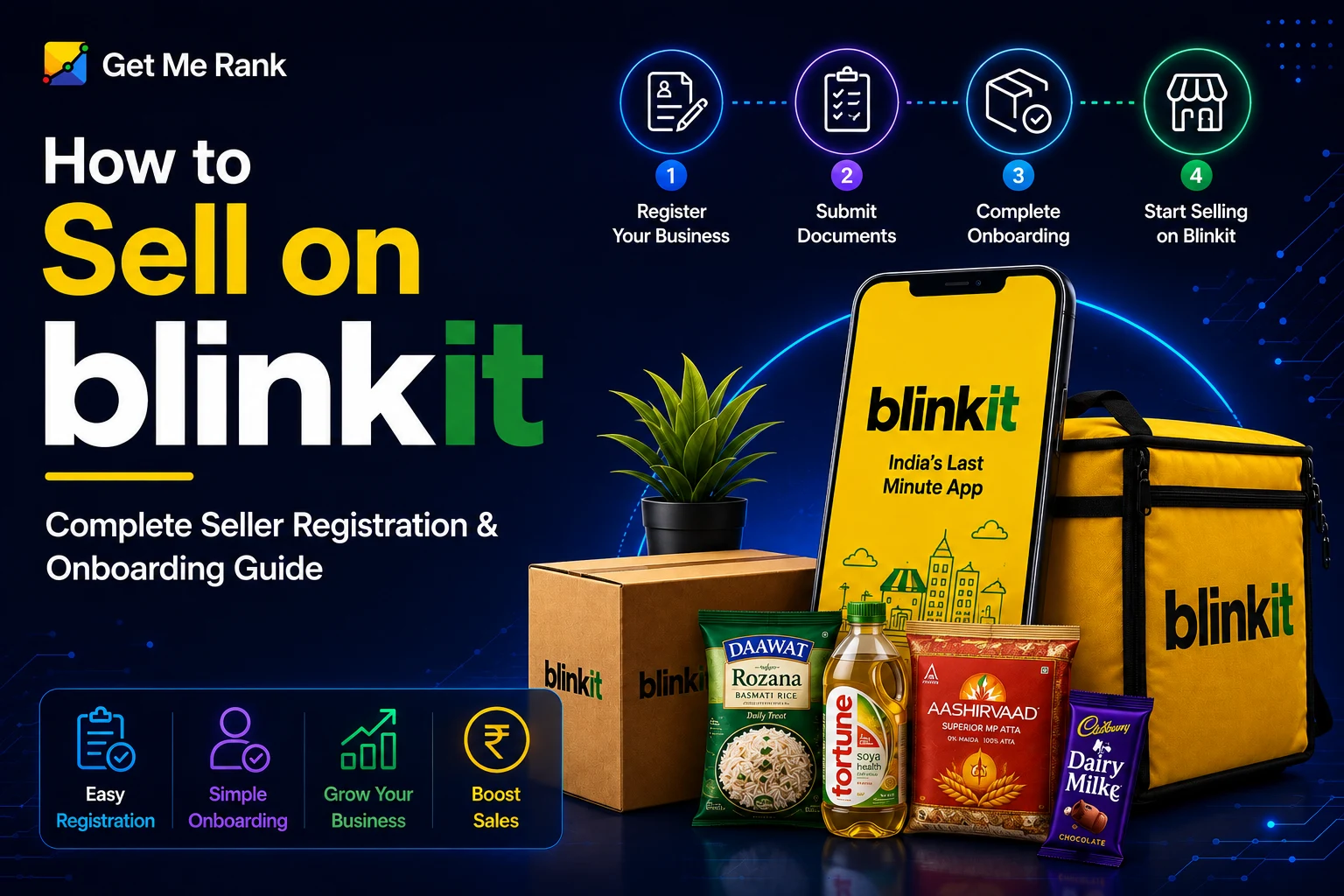
Blinkit (owned by Eternal Ltd, formerly Zomato) is India’s largest quick-commerce platform, delivering groceries and everyday essentials to customers in 10–20 minutes through a network of dark stores across 30+ cities. If you’re a D2C brand, FMCG manufacturer, or distributor wondering how to sell on Blinkit in 2026, this guide covers the complete seller registration and onboarding process – from eligibility and documents to fees, Blinkit registration steps, and what actually drives sales once you’re live.
What Is Blinkit and Why Sell There in 2026?
Blinkit is India’s leading quick-commerce (Q-commerce) platform, connecting brands to customers through a hyperlocal network of dark stores – small fulfillment centers not open to walk-in customers, positioned in residential and high-density areas. Sellers supply inventory to these dark stores, and Blinkit handles picking, packing, and last-mile delivery.
A few reasons brands are prioritizing Blinkit in 2026:
- Cross-exposure through the Zomato ecosystem – brand visibility to Blinkit’s growing base of app users
- High repeat-order frequency – quick-commerce customers reorder far more often than typical ecommerce shoppers
- Faster settlement cycles relative to traditional marketplaces
- Lower return rates than standard ecommerce, since most categories are non-returnable, fast-moving essentials
- Premium, urban demographic concentrated in metros and Tier-1 cities
That said, Blinkit is operationally different from a standard marketplace listing. Category approval is manual, inventory has to physically reach dark stores on a consistent cycle, and margins are tighter once fulfillment, inwarding, and storage fees are factored in. Sellers who prepare their documentation and category strategy properly go live faster and profitably.
Read Also: How to Sell on Flipkart in 2026: A Step-by-Step Guide
How to Sell on Blinkit: Complete Seller Registration & Onboarding Guide (2026)
Who Can Sell on Blinkit? Eligibility Criteria
Blinkit is more selective than a typical marketplace. Before starting your application, confirm your business meets these requirements:
- Registered business entity. Blinkit works with proprietorships, partnerships, LLPs, and private limited companies with valid registration documents.
- Active GSTIN. GST registration is mandatory, with HSN codes matching your product categories accurately.
- Brand ownership or authorization. You must either own the brand (with trademark registration, or an application acknowledgement at minimum) or hold a signed authorization letter from the brand owner if you’re a distributor.
- Category compliance. Food, beverage, and supplement products require a valid FSSAI license; personal care and home care products typically need BIS or CDSCO certification depending on the product.
- Supply chain readiness. You need the ability to maintain consistent stock across the dark stores assigned to your brand – inconsistent supply is one of the most common reasons category managers hesitate to approve or expand a brand.
What Categories Does Blinkit Accept?
Blinkit actively onboards sellers across:
Blinkit does not accept categories outside its core fast-moving essentials scope – large electronics, apparel, and industrial products are not part of the platform’s assortment.
Documents Required for Blinkit Seller Registration
Keeping the following documents ready before you start your blink registration is the single biggest factor in how fast your application moves:
Most delays trace back to something on this list – a GSTIN address that doesn’t match the registered business address, an expired FSSAI license, or a missing authorization letter for distributors reselling a third-party brand.
Step-by-Step: How to Complete Blinkit Seller Registration
The full process from application to going live typically takes 2–4 weeks, depending on category, documentation readiness, and how quickly inwarding is completed. Here’s the flow:
Step 1 – Apply through the Blinkit Seller Portal
Start your Blinkit registration through Blinkit’s official seller/partner portal, or by reaching out directly with your brand deck and product catalog. Enter your legal business name, GSTIN, entity type, registered address, and primary product category, and verify your account.
Step 2 – Category Manager evaluation
Once submitted, a Category Manager reviews your application against:
- Existing demand and search interest for your category on the platform
- Brand recognition and price competitiveness versus other Q-commerce and modern trade players
- Packaging suitability for dark-store handling and rapid delivery
- Your ability to maintain consistent stock across multiple locations
Step 3 – Commercial agreement (Vendor Master Agreement)
On approval, you’ll sign a vendor agreement covering commission structure, payment cycle, and returns policy, and receive a unique vendor code.
Step 4 – Additional Place of Business (APOB) setup
Because dark stores function as physical fulfillment points, you’ll typically need to add the relevant Blinkit warehouse addresses as an Additional Place of Business under your GST registration before inventory can legally be supplied.
Step 5 – Catalog and New Product Introduction (NPI)
Each SKU goes through a listing review – titles, images, descriptions, pricing, and barcodes are submitted and checked before a product can go live. Product titles should include brand name, variant, and weight/quantity (e.g., “Brand X Almond Butter | Crunchy | 200g”).
Step 6 – Inventory dispatch and inwarding
Stock is sent to the dark stores assigned to your brand. Products are quality-checked on arrival for packaging condition, batch coding, and remaining shelf life (most categories require a minimum shelf life remaining at the time of inwarding, commonly around 60%).
Step 7 – Go live and soft launch
Once inwarding is complete, products typically appear on the app within 24–48 hours. This is the window to monitor impressions, add-to-carts, conversion rate, and stock availability closely, and to fix catalog issues quickly.
Blinkit Selling Models in 2026
New brands are commonly onboarded under a Sale-or-Return (SOR) model rather than an outright-purchase (OR) model. Under SOR, some sellers report a refundable deposit requirement per SKU – often cited around ₹25,000 – which is typically returned as advertising credit rather than cash. Established brands with a proven sales track record may be offered the OR model, where Blinkit purchases stock outright.
Important: exact deposit requirements, commission slabs, and model eligibility vary by category, brand size, and negotiated terms, and should always be confirmed directly with your assigned Category Manager during onboarding rather than assumed from any published figure – including the ones in this guide.
Blinkit Fee Structure: What Sellers Actually Pay
Selling on Blinkit doesn’t involve a direct registration fee, but several costs stack on every order:
Note: Commission percentages and per-unit charges vary by category, brand size, and your specific vendor agreement. Treat published ranges – including this table – as a starting reference, and confirm your exact rate card with Blinkit during onboarding.
Blinkit Cost Breakdown Example
Product: Packaged Snack, 150g pouch Selling Price: ₹100
Important: This is an illustrative example only, not a quoted rate. Fulfillment fees are charged per unit regardless of price point, which means lower-priced SKUs carry a proportionally heavier fee burden – a key reason many sellers push toward combo/bundle pricing on Blinkit rather than single-unit low-ticket listings.
Blinkit Seller Hub: Key Features After Go-Live
Once live, sellers manage operations through the Blinkit Seller Hub:
- Order and inventory dashboard – tracks live orders, fill rate, and dark-store-level stock across your assigned locations.
- Catalog management – add new SKUs, fix listing issues, and update pricing (subject to Category Manager approval for new categories).
- Advertising tools – Sponsored Products (CPC-based placement in search and category results), banner ads (CPM-based homepage/category placement), and Deal Spotlights for “Today’s Deals” visibility. Organic visibility is limited – the large majority of sales come from the first couple of rows of search and category results, which is why paid placement matters more on Blinkit than on traditional marketplaces.
- Payment settlements – Blinkit generally settles on a weekly cycle, faster than the fortnightly or 7–15 day cycles typical of traditional ecommerce marketplaces.
Best Practices to Grow Sales on Blinkit
- Launch with hero SKUs only – 5–10 proven bestsellers rather than your full catalog on day one, then expand once velocity is established
- Maintain 95%+ fill rate – even brief stock-outs can meaningfully hurt your category ranking
- Price competitively – Blinkit shoppers compare prices across Q-commerce apps; being priced above modern trade rates slows adoption
- Invest in launch promotions – a 10–15% introductory discount in the first 30 days builds the early sales momentum that Blinkit’s ranking algorithm rewards
- Start in 2–3 cities, not pan-India – launch where your brand already has some awareness before scaling dark-store coverage
- Use combo/bundle pricing – this improves average order value against the fixed per-unit fulfillment fee
- Monitor competitor pricing weekly – across Blinkit, Zepto, and Instamart, since price-sensitive Q-commerce shoppers switch platforms easily
Common Reasons Blinkit Applications Get Delayed or Rejected
- GSTIN address not matching the registered business or pickup address
- Expired FSSAI license, or state license used where a central license is expected for multi-city plans
- Missing brand authorization letter for distributors reselling a third-party brand
- Product images that don’t meet the 1000×1000px, white-background, no-overlay specification
- Insufficient remaining shelf life at the time of inwarding
- Incomplete catalog sheet – missing EAN, HSN code, or weight fields
- Listing too many SKUs at once instead of starting with a focused hero range
How Get Me Rank Helps You Sell on Blinkit?
At Get Me Rank, we manage end-to-end Blinkit account setup and growth for D2C and FMCG brands – from blink registration and category approvals through catalog creation, dark-store inventory coordination, and ongoing ad management. Because most brands don’t stop at one Q-commerce platform, our team also manages Zepto and Instamart accounts, so we can plan a coordinated multi-platform launch instead of tackling each one separately. Talk to us about getting your brand live on Blinkit.
Conclusion: What You Need to Sell on Blinkit in 2026
Selling on Blinkit is a structured but selective process. Brands that prepare GST, FSSAI, and brand-authorization documentation in advance, apply through the official seller portal, pass Category Manager evaluation, complete APOB setup, and launch with a focused hero-SKU catalog go live faster and see stronger early sales momentum. Ongoing success depends on maintaining fill rate, competitive pricing, and consistent investment in sponsored visibility.
Frequently Asked Questions
1. How do I start Blinkit seller registration?
Apply through Blinkit’s official seller portal with your business details and required documents (GST, PAN, FSSAI, bank details), or work with an onboarding agency that can submit pre-verified documentation on your behalf.
2. How long does blink registration take?
Most sellers go live within 2–4 weeks of applying, assuming documentation is complete and accurate the first time. Delays are almost always documentation-related.
3. Is there a registration fee to sell on Blinkit?
Blinkit does not charge sellers a direct fee to register. Ongoing costs come from commission, fulfillment, inwarding, and storage fees, which vary by category and are confirmed during onboarding.
4. Can a small D2C brand sell on Blinkit?
Yes. Blinkit actively onboards emerging D2C brands, particularly in health foods, personal care, and specialty categories, provided the product is differentiated and competitively priced.
5. Is FSSAI mandatory for all Blinkit sellers?
It’s mandatory for food, beverage, and supplement categories. Non-food categories typically require BIS or CDSCO compliance instead, depending on the product type.
6. Can I sell on Blinkit and other Q-commerce platforms at the same time?
Yes – running Blinkit alongside Zepto and Instamart is common practice among established sellers and can improve overall category visibility.
7. What’s the difference between selling on Blinkit vs a traditional marketplace like Amazon?
Blinkit focuses on 10–20 minute delivery of daily essentials through dark stores, with weekly settlements and lower return rates, while traditional marketplaces handle a far wider product range with longer delivery windows and settlement cycles. Blinkit’s product scope is narrower, and per-unit fulfillment fees apply regardless of order size.