
Marketplace
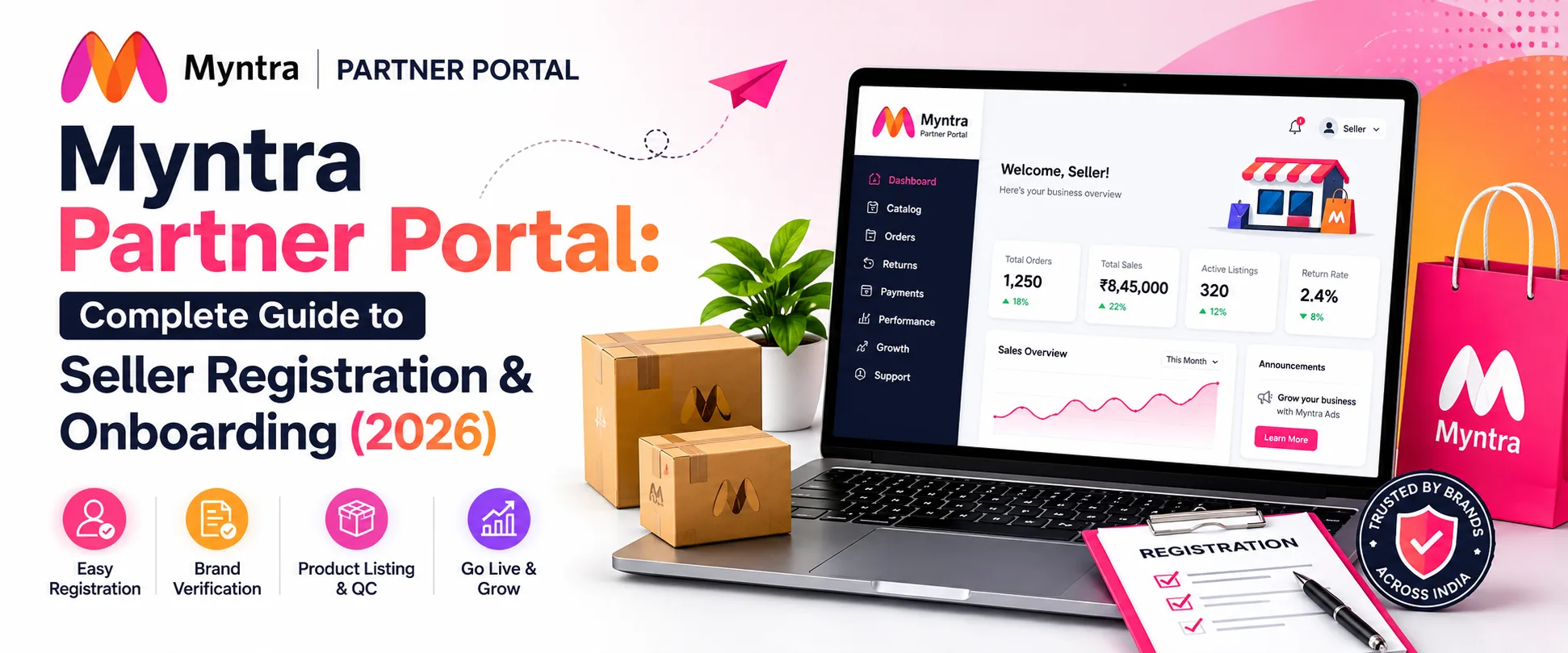
The Myntra Partner Portal (partners.myntrainfo.com) is the official gateway for brands and sellers to register, manage their catalogue, track orders, and monitor performance on India’s leading fashion marketplace. If you are planning to sell on Myntra in 2026, everything starts here.
This guide covers the complete partner portal registration flow, eligibility requirements, document checklist, selling models, realistic fee structure, and what to expect at each stage of onboarding. All information is based on the current portal process as of mid-2026.
What Is the Myntra Partner Portal?
The Myntra Partner Portal is the centralized seller dashboard where brand partners manage every aspect of their Myntra selling operations. It is also referred to as Myntra Seller Central, the Vendor Portal, or the Seller Hub across forums and documentation – they all refer to the same platform at partners.myntra.com.
From the Partner Portal, sellers can:
- Submit the initial brand registration application
- Upload and manage compliance documents
- Create and update product catalogue listings
- Track live order status and dispatch SLAs
- View payment settlements and payout cycles
- Access Partner Insights (performance analytics)
- Manage advertising campaigns via Myntra Ads Platform (MAP)
- Handle return and refund cases
Read Also: How to Sell on Flipkart in 2026: A Step-by-Step Guide to Becoming a Successful Flipkart Seller
Myntra Partner Portal: Complete Guide to Seller Registration & Onboarding (2026)
Who Can Sell on Myntra? Eligibility Criteria?
Myntra is a selective, brand-first marketplace. Not every seller is accepted. Before investing time in the registration process, confirm your business meets all four eligibility requirements:
- Registered business entity. Myntra accepts sole proprietorships, partnerships, LLPs, and private limited companies. Individual sellers are eligible only if they operate under a formal business structure with valid documentation. Freelancers or unregistered entities cannot onboard.
- Active GSTIN. GST registration is mandatory for every product category on Myntra. GST-compliant invoicing is required for every transaction. Register on the Government GST Portal before beginning your Myntra application if you do not yet have a GSTIN.
- Fashion or lifestyle product categories. Myntra only accepts sellers within its approved category scope — apparel, footwear, accessories, beauty, jewellery, bags, and lifestyle home decor. Products outside this scope will not be approved.
- GSTIN state must match pickup PIN code. This is the most commonly overlooked requirement. Your warehouse or pickup address PIN code must fall within the same state as your GSTIN registration. A state mismatch is one of the most frequent causes of application rejection and delay.
What Categories Does Myntra Accept?
Approved categories include men’s, women’s, and kids’ apparel (ethnic wear, western wear, activewear, casualwear), footwear, fashion accessories (watches, sunglasses, belts, wallets), bags and luggage, jewellery, beauty and personal care (skincare, fragrances, haircare), and lifestyle home decor within the fashion segment.
Myntra does not accept electronics, groceries, medicines, medical devices, industrial products, or any category outside its core fashion and lifestyle scope.
Documents Required for Myntra Partner Portal Registration
Having complete, accurate documents ready before you start the application is the most effective way to avoid delays. Myntra’s verification team reviews every upload manually. Incomplete or blurry submissions are the single most common reason for extended timelines.
Important: Myntra requires a current account in the business name. Savings accounts are generally rejected. This is a frequent issue for sole proprietors – verify your account type before submitting.
Step-by-Step: How to Register on the Myntra Partner Portal
The full registration process from application submission to going live typically takes 30 to 60 days, depending on document readiness and category complexity. Here is the exact flow as of 2026:
Step 1 – Visit the official portal
Go to partners.myntra.com. This is the only official onboarding portal. Do not use third-party registration links. Click Register Now or Partner With Us on the homepage.
Step 2 – Fill the registration form
Enter your full name, mobile number, business email, business name, GSTIN, business type (sole proprietorship, partnership, LLP, or Pvt Ltd), and the product categories you plan to sell. Every field must match your official documents exactly. The verification team cross-checks each entry against your uploaded files.
Tip: Use a business email address rather than a personal Gmail or Yahoo account. Applications from registered business emails are prioritized by Myntra’s onboarding team.
Step 3 – Upload documents
Upload your GST certificate, PAN card, Aadhaar or government ID, trademark certificate or brand authorisation letter, address proof, and incorporation certificate (if applicable). Use high-resolution JPEG or PDF scans. Blurry or cropped uploads are the most common cause of delayed approvals — rescan before submitting.
Step 4 – Select product categories
Choose your primary and secondary categories from Myntra’s approved list. Subcategory selections are specific: ethnic wear, western wear, casual footwear, sports shoes, skincare, fragrances, fashion accessories. Select carefully – your initial catalogue approval is tied to the categories chosen here. Adding new categories later requires a separate CTA (Category Approval) request.
Step 5 – Submit bank details
Provide your current account number, IFSC code, and upload a cancelled cheque. Myntra uses these details for automated payment settlements. Payouts are processed on a fixed cycle post-delivery and return window completion.
Step 6 – Brand evaluation by Myntra’s category team
This is the most critical stage. Myntra evaluates your application based on:
- Brand strength: trademark status, social media presence, website quality
- Product quality: sample review, fabric finish, packaging standards
- Catalogue depth: brands with fewer than 20 to 30 SKUs have a lower approval rate
- Category fit: whether your brand fills a gap in Myntra’s existing catalogue
- Marketplace history: existing presence on Amazon, Flipkart, or AJIO significantly improves approval likelihood
Timeline: Verification and brand evaluation typically takes 7 to 15 working days, depending on document clarity and category complexity. You will receive email updates on application status.
Step 7 – Sign the Partner Agreement
After approval, log into the Partner Portal, review all terms and conditions, and accept the Seller Agreement to unlock further functionality. If you opt for the growth enablement plan (Rs 25,000 fee for higher ad credits), a separate document is also available for acceptance at this stage.
Step 8 – Logistics setup
Configure your pickup address, confirm pickup timings with the assigned logistics partner (Myntra Logistics or Ecom Express depending on your zone), and prepare packaging that meets Myntra guidelines: branded poly bags, correct size labelling, and size-appropriate boxes. Getting logistics right from the start directly affects your delivery performance ratings and return rates.
Step 9 – Catalogue creation and photography
Myntra has India’s strictest photography standards for a fashion marketplace. Listings with poor images are rejected at the QC stage.
Product data requirements: complete attribute filling for all mandatory fields (fabric, pattern, fit type, occasion, wash care), accurate Indian body measurement-based size charts (bust, waist, hip, length), product descriptions of 150 to 300 words with relevant keywords, correct MRP and selling price, and accurate GST HSN codes.
Step 10 – QC review and go-live
Myntra’s QC team reviews your catalogue, typically within 2 to 5 business days. Common rejection reasons at this stage: image quality below spec, size chart errors, missing mandatory attributes, and incorrect HSN codes. After QC approval, your listings go live on Myntra.com and the Myntra app. Myntra places a few dummy orders during the dry-run phase to verify your fulfilment process before full activation.
Myntra Selling Models in 2026
Myntra operates under the PPMP (Partner Programme Marketplace) structure. The two primary models are:
PPMP C+L (Commission + Logistics) — Standard model
You store inventory at your own warehouse. Myntra’s logistics partner picks up orders from your location. You handle packaging and quality control before dispatch. This is the standard model for most new sellers.
- Commission: category-based (see fee structure below)
- Logistics: charged per order based on weight and delivery zone
- Best for: brands with warehouse infrastructure and order processing capability
PPMP C+C (Commission + Consignment)
You send inventory to Myntra’s warehouse. Myntra handles storage, packaging, and delivery. Faster delivery to customers leads to better conversion rates. Additional warehousing and fulfilment charges apply.
- Best for: high-volume sellers wanting pan-India fast delivery with minimal operational overhead
Rising Star Programme
A separate onboarding track for new, emerging D2C brands that Myntra’s category team identifies as high-potential. Selection is by invitation through the Partner Portal or through Myntra’s category team outreach. Benefits include dedicated onboarding support, reduced minimum SKU requirements, and preferential placement during sale events.
Myntra Fee Structure: What Sellers Actually Pay in 2026
Understanding the true cost of selling on Myntra requires looking beyond the base commission rate. Multiple fees stack on each order.
Myntra Cost Breakdown Example
Product: Women’s Kurta
Selling Price: ₹1,499
Important Note
- Return rates in apparel can range from 25%–30%
- Product cost is not included in the above deductions
- Proper pricing strategy is essential to maintain profitability on Myntra
Note: Commission rates and fee structures are set in your specific Partner Agreement and can vary by brand, category, and negotiated terms. Always verify your exact rate card in the Myntra Partner Portal before finalizing pricing.
Myntra Ads Strategy: How Sellers Can Increase Product Reach
Myntra advertising can help sellers increase product visibility and bring more shoppers to their listings. Once your Myntra seller account is active, advertising can be used alongside catalogue optimization and competitive pricing to support sales growth.
Myntra offers advertising opportunities that can help products gain additional exposure across search results, category pages, and promotional placements.
Before launching campaigns, sellers should:
- Identify products with strong ratings and conversion potential.
- Select products with sufficient inventory.
- Use competitive pricing during promotional periods.
- Monitor impressions, clicks, orders, and return rates.
- Adjust budgets based on product performance.
- Avoid promoting products with poor images or incomplete catalogue information.
Your Myntra seller panel should be reviewed regularly to understand which products are generating sales and which products need catalogue, pricing, or advertising improvements.
For sellers searching for Myntra seller central login or seller Myntra login, it is important to use the official seller/partner portal and avoid unofficial login pages. The Partner Portal acts as the central platform for managing catalogue, orders, performance, advertising, and other seller activities.
Reducing Returns on Myntra: Practical Tips for Sellers
Returns are one of the biggest operational challenges for fashion sellers because customers cannot physically check the product before purchasing. Poor sizing information, inaccurate product descriptions, unclear images, and differences between product expectations and the delivered item can contribute to returns.
To reduce unnecessary returns, sellers should focus on:
1. Provide accurate size charts
Include clear measurements and make sure the size chart matches the actual product.
2. Use high-quality product images
Show the product from multiple angles and include important details such as fabric, texture, fit, and design.
3. Write accurate product descriptions
Clearly mention material, fit, colour, care instructions, dimensions, and other important product information.
4. Maintain catalogue accuracy
Incorrect attributes, images, sizes, or product information can lead to customer dissatisfaction and avoidable returns.
5. Analyse return reasons
Regularly review return data in your Myntra seller panel to identify patterns. If a particular SKU repeatedly receives returns because of sizing or product expectations, update the listing accordingly.
6. Improve product quality and packaging
Ensure the product delivered matches the catalogue images and description. Proper packaging can also reduce damage-related returns.
Effective returns management not only reduces operational costs but can also help improve customer satisfaction and overall Myntra seller account performance.
Myntra Partner Portal: Key Features After Go-Live
Once your account is active, the Partner Portal gives you access to the following operational tools:
Seller dashboard
The main control panel showing live order queue, pending dispatches, return cases, and account health metrics including dispatch rate, cancellation rate, and SLA compliance scores.
Catalogue management
Add new styles, update existing listings, fix QC rejections, edit pricing, and manage size and attribute data. Category additions require a separate approval request with product samples and justification.
Partner Insights
A data analytics tool providing performance metrics including search visibility, click-through rates, conversion rates, return rates, and category benchmarks. New sellers receive free access from month 2 to month 4 after onboarding. After that, access is based on account tier.
Myntra Ads Platform (MAP)
The in-platform advertising console. Available ad formats include:
- Sponsored Products: PPC ads appearing in search results and category pages
- Brand Banners: display banners on homepage, category pages, and checkout (CPM model)
- Carousel Ads: multi-product swipe able ads showcasing your collection
- Myntra Studio: content and commerce integration via influencer shoppable posts
- Deal of the Day: premium placement with exclusive pricing for 24-hour windows
For new sellers, a starting ad budget of 5 to 8% of revenue is a reasonable baseline. ROAS benchmarks of 4 to 6x are achievable for established catalogues in competitive categories.
Payment settlements
Payouts are processed on a fixed cycle after the return window closes. Expect 10 to 15 business days from delivery confirmation to settlement credit. The Partner Portal shows a detailed payout ledger with order-level deductions.
Myntra Sale Events: How to Prepare
Myntra’s sale events are among the highest-traffic windows in Indian e-commerce. Sellers who prepare correctly see 5 to 10x normal order volumes during these periods.
EORS slot booking: Sale event participation requires advance slot booking through the Partner Portal, typically 4 to 6 weeks before the event. Myntra’s category teams communicate slot availability and requirements directly to active sellers. Ensuring sufficient inventory depth and catalogue completeness before the booking window opens significantly improves your chances of slot approval.
Common Reasons Myntra Seller Applications Are Rejected
Awareness of common rejection reasons helps avoid the most frequent delays:
- GSTIN state mismatch with pickup PIN code
- Blurry, cropped, or incomplete document uploads
- Savings account instead of current account in the bank details
- No trademark registration and no valid brand authorization letter
- Catalogue depth below 20 to 30 styles
- Product photography that does not meet Myntra’s technical specifications
- Brand with no digital presence (no website, no social media, no other marketplace listings)
- Categories outside Myntra’s approved fashion and lifestyle scope
How Get Me Rank Helps You Sell on Myntra
At Get Me Rank, we specialize in end-to-end Myntra account management for fashion and lifestyle brands. From registering your brand on the Myntra Partner Portal to managing your catalogue, order SLAs, returns, and ad campaigns – we handle everything so you can focus on building your product. Our team works directly inside your Myntra account as a dedicated operations partner, keeping your account healthy and your revenue growing. Talk to us at gmr.getmerank.in/.
Summary: What You Need to Sell on Myntra in 2026
Selling on Myntra through the Partner Portal is a structured, selective process. Brands that prepare correctly, with complete documentation, a strong catalogue, and realistic margin planning, onboard efficiently and build a sustainable presence on India’s largest fashion platform.
The key steps: meet eligibility criteria, prepare all documents in advance, register at partners.myntrainfo.com, pass brand evaluation, set up logistics, create a compliant catalogue, and go live. Ongoing success depends on maintaining catalogue quality, SLA compliance, and a disciplined approach to returns and advertising.
Frequently Asked Questions
How Do I Access The Myntra Partner Portal?
Go to partners.myntrainfo.com. Existing sellers log in with their registered mobile number and OTP. New applicants click Register Now to begin the brand registration process.
How Long Does Myntra Seller Registration Take?
The complete process from application submission to going live takes 30 to 60 days: document verification and brand evaluation (7 to 15 working days), agreement signing (3 to 5 days), catalogue creation and photography (1 to 2 weeks), and QC review (2 to 5 days).
Is There A Registration Fee For The Myntra Partner Portal?
There is no upfront registration fee to apply or onboard. Myntra earns through commission on sales, logistics fees, and advertising. Sellers invest in catalogue photography, product samples, and optionally an agency for onboarding support. If you opt into the growth enablement plan, a separate Rs 25,000 fee applies in exchange for ad credits.
Can I Sell Without A Registered Brand?
No. Myntra is a brand-centric platform. You need either your own registered brand (trademark TM or registered mark) or a valid brand authorization letter from the brand owner. White-label products without brand identity are not accepted.
What Is The Difference Between Ppmp C+L And Ppmp C+C?
PPMP C+L (Commission + Logistics) means you store inventory at your own warehouse and Myntra’s logistics picks up from your location. PPMP C+C (Commission + Consignment) means you send inventory to Myntra’s warehouse and they handle storage and fulfilment. C+C results in faster delivery but carries additional warehousing charges.
When Do Myntra Sellers Get Paid?
Payouts are processed on a fixed settlement cycle after the return window closes per order. Typically 10 to 15 business days from delivery confirmation. The settlement ledger in the Partner Portal shows a full breakdown of commission deductions, logistics charges, and net payout per order.
How to Use the Myntra Partner Portal?
The Myntra Partner Portal is the dashboard sellers use to manage their business on Myntra. Once your seller account is approved, you can:
- Upload and manage product listings
- Update inventory and pricing
- Track orders and shipments
- Monitor returns and cancellations
- Access sales reports and performance metrics
- Manage payments and settlements